Confession: I avoided React Suspense for about two years. Every post I read about it made it sound like either a silver bullet or an over-engineered footgun, and I had real apps to ship. So I stuck with useEffect plus loading state and called it a day.
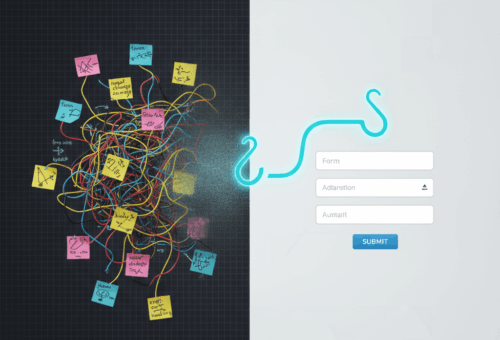
Then last quarter I rewrote a dashboard that was making twelve sequential network calls before the first paint, and Suspense finally clicked. Not as a magic trick, but as a way to draw a line on the page that says “everything above is ready, everything below is still loading, and the user can scroll either way.”
This post is my honest take after six months of using it on real apps. No “Suspense will revolutionize your UI” energy. Just where I reach for it, the places I refuse to use it, and what I wish someone had told me before I started.
The mental model that finally made it click
The official React docs are good but they bury the part that actually matters: Suspense is a boundary, not a state. You’re not telling React “wait for this fetch.” You’re telling React: if anything inside this region isn’t ready yet, paint the fallback instead, and the rest of the tree keeps going.
That last part is the thing I missed for two years. A <Suspense> boundary doesn’t block the page. It blocks one slice of it.
With the old useEffect pattern I had this:
function Dashboard() {
  const [user, setUser] = useState(null);
  const [orders, setOrders] = useState(null);
  const [stats, setStats] = useState(null);

  useEffect(() => { fetchUser().then(setUser); }, []);
  useEffect(() => { fetchOrders().then(setOrders); }, []);
  useEffect(() => { fetchStats().then(setStats); }, []);

  if (!user || !orders || !stats) return <Spinner />;
  return <Layout user={user} orders={orders} stats={stats} />;
}
That if (!user || !orders || !stats) is the bug. The whole dashboard waits for the slowest of three calls. The user stares at a spinner while two of the three responses are sitting in memory doing nothing.
With Suspense, the same dashboard looks like this:
function Dashboard() {
  return (
    <Layout>
      <Suspense fallback={<HeaderSkeleton />}>
        <UserHeader />
      </Suspense>
      <Suspense fallback={<OrdersSkeleton />}>
        <Orders />
      </Suspense>
      <Suspense fallback={<StatsSkeleton />}>
        <Stats />
      </Suspense>
    </Layout>
  );
}
Each child fetches its own data (via the use() hook, React Query, Relay, or your data layer of choice) and the rest of the tree renders the second it’s ready. The user sees a real header in 80ms, then orders fill in, then stats. The page feels alive instead of dead.
Where I actually reach for it
I use Suspense for three jobs now and nothing else.
Route-level loading. When a page is the unit of “this section is still loading,” a single <Suspense> around the whole route gives me a clean swap from old content to skeleton to new content. I don’t have to thread loading state through ten components.
Streaming server-rendered pages. This is where Suspense really earns its keep in the Next.js App Router and in any framework that supports React server components. The server sends the shell, then streams in each <Suspense> chunk as the data resolves. Time-to-first-byte stays low and the user sees structure immediately. I covered the broader data-layer choice in my React Query vs SWR in 2026 post; both libraries plug into Suspense if you opt in.
Lazy-loaded sub-trees. When a tab, modal, or rarely-visited route pulls in a 200KB chunk, React.lazy + <Suspense> is still the cleanest API I know. The fallback shows for a couple hundred milliseconds while the chunk downloads, then the real UI swaps in. I keep meaning to write more about bundle-splitting tactics in my work on shipping smaller front-ends; most apps I audit have at least one 600KB chunk that should be three 200KB chunks.
Where Suspense is the wrong tool
This is the part the React docs don’t say loud enough.
Suspense is good for “show fallback while this fetch resolves.” It’s bad for the following:
- Optimistic updates. That’s
useOptimistic(covered in my optimistic UI post), not Suspense. - Mutations. Suspense reads, not writes. Use
useTransitionand a regular action for form submits. - Background refresh. If you want to re-fetch every 30 seconds without flashing skeletons, Suspense will make you cry. Use a data library with
staleTimeandrefetchOnWindowFocus. The skeleton is for the first load, not the tenth. - Anywhere the user shouldn’t see a loading state at all. Sometimes you want the old data to stay on screen while the new data loads. Suspense will rip the old data out and show the fallback.
useTransitionkeeps the old UI visible.
I got the third one wrong for two weeks on a search page. Every keystroke flashed the entire results panel to skeleton. The fix was wrapping the navigation in startTransition and letting React keep the stale results until the new ones arrived. Suspense alone could not do that.
Error boundaries are not optional
Every Suspense boundary should sit inside an error boundary. The docs mention this once and then move on. In practice, a throwing fetch inside a Suspense tree bubbles straight to the nearest error boundary, and if there isn’t one, the whole app crashes.
The pattern I use:
<ErrorBoundary fallback={<StatsError />}>
  <Suspense fallback={<StatsSkeleton />}>
    <Stats />
  </Suspense>
</ErrorBoundary>
Pair every <Suspense> with an <ErrorBoundary> that has a fallback specific to that region. A page-wide error UI for a tile-level failure is bad UX. Show “couldn’t load stats” inside the tile and let the rest of the page keep working. Bonus: put a “Retry” button on the error fallback that calls resetErrorBoundary(), and the user gets to try again without a full page reload.
I use react-error-boundary for this. Small library, does the one thing I need, hasn’t been touched in years. Vanilla error boundaries are still a class component and I’m tired of writing those.
The use() hook is the missing piece
The thing that made Suspense actually pleasant in React 19 is the use() hook. Before use(), you had to either write your own throwable promise resolver or rely on a data library that did it for you. Both worked, but both felt awkward.
Now I can do this:
function UserHeader() {
  const user = use(fetchUser());
  return <h1>Welcome, {user.name}</h1>;
}
use() unwraps the promise, Suspense handles the fallback, done. The catch: don’t call fetchUser() inline like that in a component that re-renders, because the fetch fires again every render. Memoize it, hoist it to a parent, or pull it from a cached source like React Query or a server-component prop.
The other catch: use() is React-only. It doesn’t work in plain Node, in tests outside @testing-library/react, or in any library that hasn’t opted into the new concurrent features. If you ship a library, don’t put use() in your public API yet.
What I’d do this week if I were starting fresh
Pick one slow page in your app. Probably a dashboard. Find the part of the load that’s making three or four parallel calls before paint. Put one <Suspense> boundary around each chunk, give each a real skeleton (not a spinner, actual gray boxes shaped like the content), and wrap the lot in an error boundary.
You’ll know it worked when the page goes from “blank, then spinner, then everything appears” to “shell, then header fills in, then table fills in, then sidebar fills in.” That’s the upgrade. It’s not magic. It’s just a better drawing of the same lines.
If you want to go deeper, read the React Suspense reference and the React 19 release notes. Both are short, both are honest about the gotchas, and both are better than 90% of the third-party explainers, mine included.