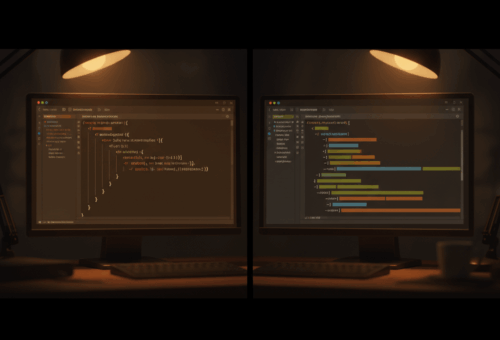
I spent an embarrassing amount of time last month deleting code I was proud of.
It was a login form. Nothing fancy. Email, password, a submit button, and the usual pile of state bolted around it: a loading boolean, an error string, and a submit handler I’d rather not show my past self. I’ve written that exact pattern maybe forty times across different projects. It’s muscle memory now, which is the problem. I stopped noticing how much of it was busywork.
Then I actually sat down with React 19’s useActionState and useFormStatus, and roughly two thirds of that form evaporated. Not refactored into a hook I’d have to maintain. Gone. The bookkeeping I’d been hand-rolling since 2019 is now the framework’s job.
So this is the before and after, plus the parts where the new hooks genuinely annoyed me, because they aren’t free. If you’ve been avoiding React 19 because the upgrade notes looked like a weekend you didn’t have, the forms story alone might earn back the afternoon.
The form state I used to write by hand
Here’s the React 18 version, more or less how I wrote it for years. Four pieces of state, a handler that has to remember to flip loading on and off in the right order, and a try/catch/finally that I have copy-pasted so many times I could type it asleep.
function LoginForm() {
  const [email, setEmail] = useState("");
  const [password, setPassword] = useState("");
  const [loading, setLoading] = useState(false);
  const [error, setError] = useState(null);

  async function handleSubmit(e) {
    e.preventDefault();
    setLoading(true);
    setError(null);
    try {
      await login({ email, password });
    } catch (err) {
      setError(err.message);
    } finally {
      setLoading(false);
    }
  }

  return (
    <form onSubmit={handleSubmit}>
      <input value={email} onChange={(e) => setEmail(e.target.value)} />
      <input
        type="password"
        value={password}
        onChange={(e) => setPassword(e.target.value)}
      />
      {error && <p className="error">{error}</p>}
      <button disabled={loading}>
        {loading ? "Signing in..." : "Sign in"}
      </button>
    </form>
  );
}
Look at how much of this has nothing to do with logging in. Two controlled inputs that exist only to shuttle characters into state. A finally block whose entire job is to undo a thing I did three lines earlier. And the classic bug hiding in plain sight: forget to reset error at the top of the handler, and a stale message sticks around from the last failed attempt. I’ve shipped that bug. More than once.
The controlled-input dance is the part that always bothered me most. React can already read form values straight off the DOM through FormData. But for years the idiomatic answer was to mirror every field into useState anyway, so you ended up maintaining a second copy of data the browser was already tracking for you.
What useActionState actually gives you
Same form, React 19. The whole thing collapses into one hook call.
import { useActionState } from "react";

function LoginForm() {
  const [error, submitAction, isPending] = useActionState(
    async (previousState, formData) => {
      try {
        await login({
          email: formData.get("email"),
          password: formData.get("password"),
        });
        return null;
      } catch (err) {
        return err.message;
      }
    },
    null,
  );

  return (
    <form action={submitAction}>
      <input name="email" />
      <input name="password" type="password" />
      {error && <p className="error">{error}</p>}
      <button disabled={isPending}>
        {isPending ? "Signing in..." : "Sign in"}
      </button>
    </form>
  );
}
A few things happened here that are worth saying out loud. The inputs are uncontrolled now. They just have a name, and the values arrive as formData when the form submits. No value, no onChange, no mirrored state.
isPending is handed to me. I never set it, never reset it, can’t forget the finally. React flips it while the action runs and flips it back when the action resolves. That’s the whole loading boolean, deleted.
And the return value of the action becomes the new state. Return err.message and it lands in error. Return null and the error clears. The stale-error bug I mentioned can’t happen, because every submit produces a fresh state instead of me mutating the old one. The React team’s own useActionState reference frames it as state that’s derived from the last submission, and once that clicked for me the whole thing felt obvious.
The signature reads a little strange the first time. The action gets previousState as its first argument before formData. I ignored it in the login example, but it’s genuinely useful. Think of a “retry” counter, or a wizard where each step needs to see what the last step returned. It’s useReducer energy, except the dispatch is a form submission.
The other thing that took me a beat: because the returned value is your state, you get to decide its shape. In the login form I return a plain string. In a signup form I return an object with per-field errors, so I can render a message under the specific input that failed. React doesn’t care what you return, it just hands it back on the next render. That flexibility is easy to miss when every tutorial returns a string and moves on.
If you want the full picture of why React 19 leaned this way, the React 19 release post is the primary source, and it’s one of the better-written release notes I’ve read.
useFormStatus, or how the button knows it’s busy
There’s a second hook that pairs with this, and it solves an annoyance I’d just learned to live with: the submit button usually lives a few components away from the form’s state, so wiring pending down to it meant prop-drilling or context.
useFormStatus reads the status of the nearest parent <form> directly. No props.
import { useFormStatus } from "react-dom";

function SubmitButton() {
  const { pending } = useFormStatus();
  return (
    <button disabled={pending}>
      {pending ? "Signing in..." : "Sign in"}
    </button>
  );
}
Drop <SubmitButton /> anywhere inside the form and it knows when the form is submitting. That’s it. The one rule that tripped me up: it has to be a child component. Call useFormStatus in the same component that renders the <form> and you get pending: false forever, because it looks upward for a form and there isn’t one above it yet. The useFormStatus docs say this plainly, and I still ignored it for a good twenty minutes before rereading.
Where it bit me, and where I still reach for useState
I don’t want to oversell this. A few things cost me time.
Client-side validation gets a bit awkward. With controlled inputs I used to validate on every keystroke. With uncontrolled fields the values live in the DOM until submit, so instant “passwords don’t match” feedback needs a different approach, usually native HTML validation or reading FormData in an onChange on the form. Not hard, just different, and I fought it before I accepted it.
Actions also swallow errors by design. If your action throws instead of returning, the error bubbles to the nearest error boundary rather than into your error state. That’s fine if you’ve got boundaries set up, which is a habit I’d recommend anyway. I wrote about the ones I actually ship over in my work on frontend reliability if you want the setup.
And honestly, useActionState isn’t the answer for everything. A search box that filters a list as you type is still a useState job. Actions shine when there’s a discrete submit with a pending window and a result. For live-as-you-type UI, the optimistic-update route fits better, which is exactly the case I made in the post on useOptimistic. Different tool, different problem.
So no, I’m not deleting useState. I’m deleting the specific, repetitive version of it that every form used to demand.
What I’d actually do this week
Pick your ugliest form. The one with five pieces of state and a handler you’ve been afraid to touch. Rewrite just that one with useActionState, move the submit button into its own child component with useFormStatus, and see how much code disappears.
Don’t do a big-bang migration. React 19 lets these hooks sit next to your old controlled forms with no drama, so convert one, ship it, and get a feel for the pending and error flow before you commit. For me it took exactly one real form to stop writing the old pattern by hand. My guess is it’ll take you about the same.