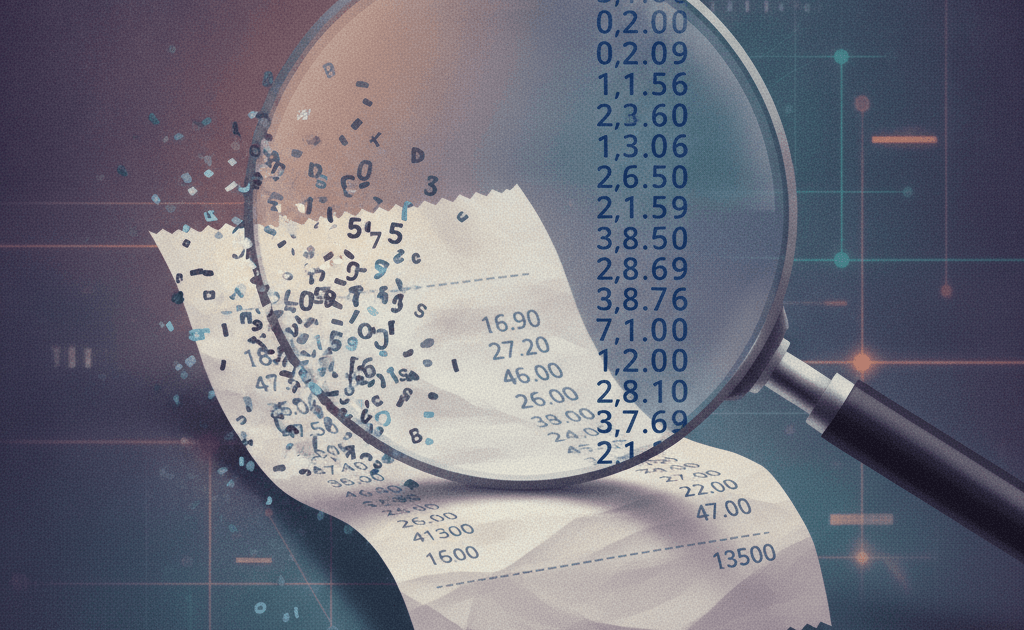
Short version for the impatient: if your invoice bot is getting totals wrong, the model is probably innocent. Check the OCR first. If you want to know why I’m so sure, keep reading.
I spent most of a weekend in August convinced that a 7B model was too small for a client’s receipt-extraction job. Totals came back as 19300 instead of 193.00. Vendor names lost a letter here and there. My fix, obviously, was a bigger model. I swapped in a 70B, paid four times the inference bill for a test run, and got almost the same wrong answers. Then I opened the raw text the OCR step was handing to the model and there it was: “193.00” had already become “19300” before any LLM saw it. The model had extracted exactly what it was given. I’d been blaming the wrong layer for two days.
A paper that landed on arXiv last week says this is not a me problem. It’s the normal case.
The benchmark that measured the layer everyone skips
The paper is From Pixels to Pairs by Zahra Anvari and Vassilis Athitsos. They benchmarked open-source instruction-tuned models (Gemma, Mistral, Qwen2.5, Llama 3, DeepSeek) on three standard document datasets: FUNSD (forms), SROIE and CORD (receipts). The twist is that they ran every model twice. Once on the gold-standard transcription, the clean text a human would have typed. And once on what three real OCR engines actually produced from the scanned images: PaddleOCR, EasyOCR and Tesseract.
That second run is the one nobody publishes. Vendor demos use clean PDFs. Academic extraction papers mostly use gold text or skip OCR by going multimodal. So the question “how does my text-only pipeline behave on a phone photo of a crumpled receipt” had surprisingly little published data behind it.
The headline number for me was Qwen2.5-7B on the CORD receipts. With PaddleOCR feeding it, Value F1 was 0.8267. With Tesseract feeding the same model the same receipts, Value F1 dropped to 0.2679. Same model, same prompt, same receipts, same JSON schema. The only thing that changed was which OCR engine ran first, and it moved the score by more than half.
Why bigger models stop helping
The finding I found more uncomfortable is about scaling. On clean text, bigger models did better, as you’d expect. Under OCR noise, the authors report that those gains shrink and the gap between models narrows. Their phrase for it is that OCR quality “becomes the dominant factor”. Once the input is corrupted enough, every model converges on roughly the same mediocre result because they’re all faithfully extracting garbage.
This matches what I saw. My 70B upgrade bought me almost nothing, because there was nothing in the text for it to be smarter about. “19300” doesn’t contain a decimal point for a clever model to recover. The information was destroyed upstream.
The paper breaks the failures into three recurring shapes, and I recognised all of them from my own logs:
Numeric corruption is the digit-boundary and decimal-point damage. It’s nasty because it often keeps partial token overlap, so a fuzzy metric looks fine while the exact-match score collapses. Your dashboard says 80% and your accountant says every third total is wrong.
Key-value misalignment shows up on dense receipts where quantities, unit prices and line totals sit in a grid. When OCR merges lines or splits them badly, the model attaches the right number to the wrong label. It’s the model doing its job on a scrambled page.
Hallucination and over-extraction is the model filling in fields that the noisy text doesn’t support. The prompt in the paper explicitly told models not to invent fields. They still did, more so as noise increased.
The OCR error rates are worse than I assumed
The paper includes character and word error rates for each engine on each dataset, computed against gold transcripts. I’d assumed Tesseract was “fine, a bit dated”. On CORD it produced a mean character error rate of 0.80 and a word error rate of 0.98. Read that again. On long receipts, nearly every word was wrong in some way. PaddleOCR on the same set was 0.48 CER, which is still bad, but it’s the difference between a model that can mostly recover and one that can’t.
Even the best case isn’t clean. PaddleOCR on SROIE, the easiest set, still had a CER around 0.31. So “just use a better OCR engine” gets you from catastrophic to workable, not to perfect. The authors are careful about this and I’ll be too: no engine in the study delivered clean text, and the receipt datasets (blur, uneven lighting, colour cast, background clutter) were consistently the worst.
I’m not going to pretend I’ve reproduced these numbers. I haven’t. But the direction lines up with a real project, and the paper’s protocol (same prompt, same JSON schema, same canonicalisation for every model) is more controlled than anything I ran.
Where few-shot prompting fits, and where it doesn’t
I’d been treating few-shot examples as a fix for extraction errors. The paper puts a fence around that. Adding examples helped, sometimes a lot, especially on receipts with a regular schema like SROIE. Llama 3 8B improved steadily from zero-shot to three-shot on all three metrics. But the improvements sit inside a ceiling set by input quality. A few worked examples teach the model what the fields look like. They don’t restore digits that the OCR never produced.
The practical reading: spend the prompt budget on examples after you’ve fixed the text, not instead of fixing it. I wrote about a related version of this trap in when not to use AI automation, where the bot was fine and the inputs were the problem. Different domain, same lesson, and I clearly needed to learn it twice.
What this changes about how I scope document projects
Most “AI for document processing” pitches, mine included until recently, sound like: pick a model, write a schema, wire up the API, ship. The OCR step is a one-line library call that nobody mentions in the proposal. After reading this paper I’m treating it as the first thing to evaluate and the first thing to budget for.
Concretely, for the next intake project I’m doing three things differently.
I’m running an OCR bake-off before touching a model. Twenty real documents from the client, three engines, and I read the raw text output by eye before any extraction runs. If the numbers are already broken at this stage, no prompt is saving them. PaddleOCR is my default starting point now, based on the error tables in the paper, but the client’s documents decide.
I’m reporting exact match alongside F1. The paper’s numeric corruption finding is exactly the case where F1 lies to you. A total that’s 90% of the right characters is 100% wrong on an invoice. Clients care about the second number.
I’m keeping a “confidence” field on every extracted number, driven by whether the OCR text around it looked sane (a decimal point present, digit count matching the currency). Rows that fail go to a human. That’s the design I already use for structured output in other pipelines, and I described the reasoning in the post on structured output rewards: the format can be perfect while the value is nonsense, and you need a separate check for each.
Multimodal models are not a free exit
The obvious objection: skip OCR entirely and send the image to a vision model. The paper mentions that route and doesn’t evaluate it, so I’ll only say what I’ve seen. On my receipt job, a vision model got the totals right more often than the Tesseract pipeline, and cost roughly eight times more per page. For a client processing four hundred invoices a month that’s a rounding error. For one processing forty thousand it isn’t, and a cheap OCR engine plus a small model with a human-review queue was the better deal. I don’t have a general rule here. I have a spreadsheet per client, and the OCR error rate is now a row in it.
If you’re building or buying anything in this space this week, do one thing: take ten of your ugliest real documents, run them through whatever OCR sits in front of your model, and read the text output yourself before you read a single extracted field. If the decimals are gone at that stage, you’ve found your problem, and it’s cheaper to fix than a bigger model. I do this kind of intake and extraction work for clients through my freelance practice, and this is now the first hour of every engagement.