I’ll be honest. The first time I read about Partial Prerendering, I rolled my eyes. Vercel was pitching it as a “new default rendering model,” and every Next.js release for the past three years has come with some “new default rendering model.” I figured I’d ignore it for six months and see if anyone was still using it.
Six months later, I’m using it. Not on every route, not even on most routes, but on enough of them that I’d notice if it disappeared. This post is what I actually figured out about PPR after shipping it on a real product, where the answer to “is this faster?” is something I had to defend in a Slack thread instead of nod at on Twitter.
Short version for the impatient: PPR is a useful tool for one specific shape of page (mostly static, with a small dynamic island). It is not a general-purpose performance fix. If you’re already happy with force-static or per-route caching, PPR may not be worth the migration. Read on for the parts that surprised me.
What partial prerendering actually does
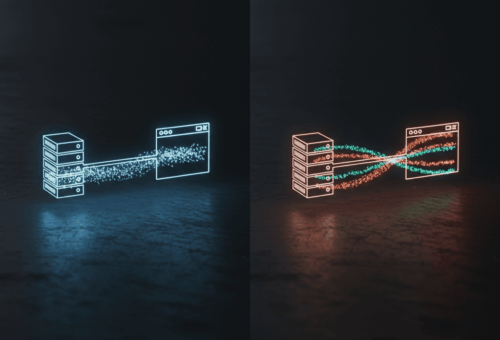
Stripping the marketing, PPR serves a static shell of your page from the edge while streaming the dynamic parts over the same response. Anything wrapped in <Suspense> is treated as dynamic. Everything outside Suspense is treated as static. The static shell ships immediately. The dynamic part shows up when it’s ready.
This is documented in the Next.js PPR docs, and the original Vercel announcement is worth reading once for the mental model. The thing those posts undersell is that PPR is just streaming SSR with a static shell baked at build time. There’s no new rendering paradigm. There’s a build step that decides “this part of the tree doesn’t depend on the request” and bakes it into HTML, and a runtime that fills in the rest.
That framing matters because once you stop seeing PPR as magic, you stop trying to use it for things it can’t do.
The before and after I actually shipped
Here’s a product page route I had on the App Router, pre-PPR. Cookies are read for personalization, so the whole route is dynamic:
// app/products/[slug]/page.jsx (before)
import { cookies } from 'next/headers';
import { getProduct, getRecommendations } from '@/lib/data';

export default async function ProductPage({ params }) {
  const product = await getProduct(params.slug);
  const userId = (await cookies()).get('uid')?.value;
  const recs = await getRecommendations(userId, product.id);

  return (
    <div>
      <ProductHeader product={product} />
      <ProductDetails product={product} />
      <Recommendations items={recs} />
    </div>
  );
}
That whole page is dynamic because of the cookies() call. The product details, which never change per user, get rendered fresh on every request. Time-to-first-byte was around 280ms on a warm cache.
Here’s the PPR version:
// app/products/[slug]/page.jsx (after)
import { Suspense } from 'react';
import { getProduct } from '@/lib/data';
import { Recommendations } from './recommendations';

export const experimental_ppr = true;

export default async function ProductPage({ params }) {
  const product = await getProduct(params.slug);

  return (
    <div>
      <ProductHeader product={product} />
      <ProductDetails product={product} />
      <Suspense fallback={<RecsSkeleton />}>
        <Recommendations productId={product.id} />
      </Suspense>
    </div>
  );
}
// app/products/[slug]/recommendations.jsx
import { cookies } from 'next/headers';
import { getRecommendations } from '@/lib/data';

export async function Recommendations({ productId }) {
  const userId = (await cookies()).get('uid')?.value;
  const recs = await getRecommendations(userId, productId);
  return <RecsList items={recs} />;
}
The cookie read moved into the Suspense boundary. The static shell, header, details, layout, gets baked at build and served from the edge in under 50ms. The recommendations component streams in once the request hits the origin and the database returns.
TTFB dropped from 280ms to about 40ms. Largest Contentful Paint dropped because the LCP element was inside the static part. Total page load was basically unchanged, because we still wait the same amount for the recommendations. PPR didn’t make the page faster. It made it appear faster.
What it doesn’t do
This is where I had to push back on my team. PPR is not a caching strategy. It does not reduce database load. It does not make slow queries fast. The dynamic part still runs on every request, still hits the database, still costs the same compute.
If your dynamic component takes 2 seconds, PPR gives you a static shell in 40ms and a 2-second wait for the rest. Without PPR, you’d see 2 seconds of nothing and then the whole page. With PPR, you see something immediately and then 2 more seconds of skeleton. The total time is the same. The user just feels less stuck.
That’s a real benefit, but if you’re trying to make slow code fast, PPR is the wrong tool. Cache the slow query, parallelize it, or push it to a background job. PPR is a perceived-performance tool, not an actual-performance tool. I cover this kind of distinction in my Next.js app router vs pages router practical guide. The rendering models change but the underlying database is still the bottleneck.
When I actually reach for it
Three patterns where PPR earned its place in my codebase.
First, mostly-static pages with one small personalized chunk. Product pages with personalized recommendations. Article pages with a “for you” sidebar. Marketing pages with a logged-in or logged-out CTA. The 80% that doesn’t change per request gets baked. The 20% that does sits in a Suspense boundary.
Second, dashboards where the chrome is static and the data is dynamic. The nav, sidebar, header, and overall layout don’t change. The actual data tiles do. Wrapping each tile in <Suspense> lets the chrome render instantly, and tiles stream in independently.
Third, pages with one slow third-party call. I had a route that pulled inventory from a partner API that could take 800ms on a bad day. Wrapping that in Suspense meant the rest of the page wasn’t blocked on it.
Three patterns where I avoided PPR.
Routes that are 90%+ dynamic. If almost everything depends on the user, you’re not getting much from a static shell. Just go fully dynamic.
Routes I already have aggressively cached. I had a /blog index that was already served from unstable_cache with a 5-minute revalidate. PPR would have added complexity for no win.
Routes with tightly coupled data fetching. If component A’s query depends on component B’s result, and they were already chained, splitting them into Suspense boundaries felt like fighting the data flow. I left those alone.
The migration trap I almost fell into
When I started, I sprinkled export const experimental_ppr = true into half my routes and tried to wrap things in Suspense after the fact. That was a mistake. The component tree was structured around “what data does this need” rather than “what data is per-request.” Reorganizing afterward took longer than starting from scratch.
The pattern I converged on: I think about each route in two passes. First pass, what’s the static shell? Header, layout, anything that depends only on params. Second pass, what’s the dynamic island? Anything that reads cookies, headers, or per-user state. The dynamic island is what goes inside <Suspense>. If I can’t cleanly draw that line, the route isn’t a good PPR candidate, and I leave it alone.
A few things the docs don’t tell you clearly
Errors in the dynamic part don’t break the static shell. If your recommendations service is down, the user still sees the product. The dynamic chunk falls back to whatever you put in the Suspense fallback, or an error boundary if you have one. This is great. It’s also easy to forget to test, because in dev everything works.
revalidatePath on a PPR route revalidates the static shell, not the dynamic part. The dynamic part is dynamic by definition. If your “dynamic” data is actually cached at a different layer, PPR doesn’t help with revalidation logic.
The dev experience lies a little. In next dev, everything is rendered on each request. You can’t actually see the static shell behavior until you next build && next start or deploy a preview. I got fooled by this for a week.
Suspense boundaries can nest. The outer one resolves first, then the inner one. Useful for “show the layout, then the data, then the slow third-party call” patterns.
Should you migrate today?
It depends on how much of your traffic is on routes that match the “mostly static, small dynamic” pattern. For me, it was about 40% of pageviews. For an internal admin dashboard where every request is dynamic, it would be close to zero.
The migration cost is real. You’re rewriting components to push dynamic reads down into leaf components. You’re adding Suspense boundaries. You’re testing with next start more often. None of this is hard, but it adds up across a hundred routes.
If you have a static marketing page with a personalized header, do PPR this week. If you have a heavily-dynamic product app, prioritize caching and query speed first. PPR is the wrong layer to fix those problems. You can see the kinds of Next.js apps I’ve shipped on my portfolio. Most of them use a mix of fully static, fully dynamic, and PPR routes depending on the page.
What to try this week
If you want to see if PPR is for you without committing to a migration, do this. Pick one route in your app that fits the “mostly static, small dynamic island” pattern. Add export const experimental_ppr = true at the top. Identify the per-user piece (cookies, headers, user-specific data) and move it into a child component wrapped in Suspense. Run next build && next start, hit the route, and look at TTFB.
If TTFB drops noticeably, you have a candidate for the rest of the app. If it doesn’t, the route was probably already fine, and PPR isn’t the bottleneck. Either answer is useful.
That’s six months of PPR in production, summarized. Not a revolution, not a default I’d ship without thinking, but a real tool for a real shape of page. If you have one of those pages, it’s worth the afternoon.